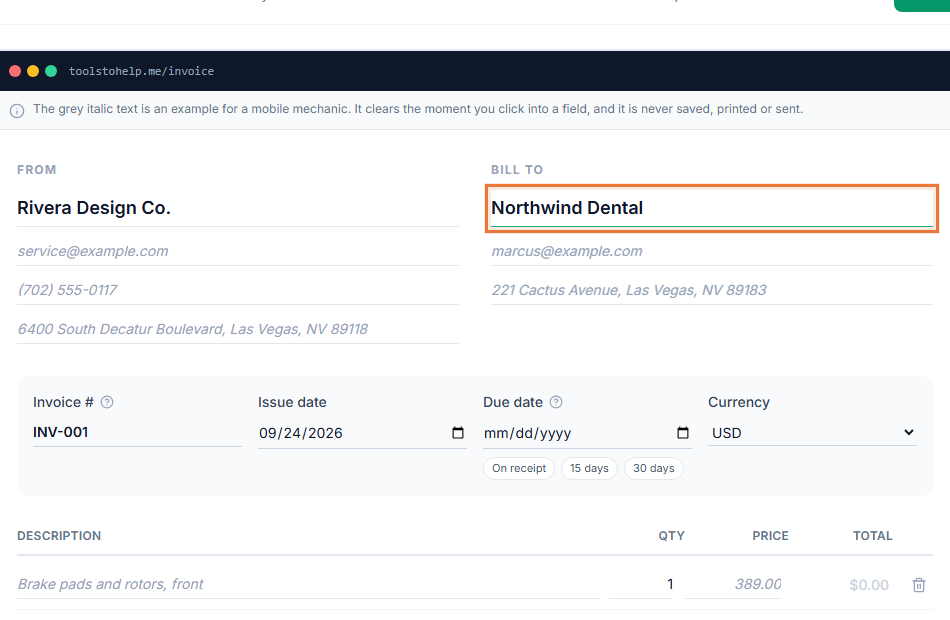
Retyping the same client's address on every invoice wastes time and invites mistakes. Client management for freelancers means you type a client's details once, then pick them from a list every time you bill, with their full history a click away.
It stays simple on purpose. There is no separate contact database to maintain and nothing to sync from another app: a client record is just the details you would otherwise put on an invoice by hand, saved once so the next invoice starts from a click instead of a blank form.
How it works
- Add a client. Save their name, email address, phone, address and any notes you want to remember.
- Pick them on your next invoice. Choose the client from a list instead of typing their details again.
- Open a client to see their history. Every invoice and estimate you have created for them shows up, with its status and total.
- Keep details current. Update a client's contact information whenever it changes, without touching past invoices.
- Remove a client if you need to. Deleting a client's record does not delete the invoices and estimates already billed to them.
Why keep clients in one place
- Less retyping. A client's address, phone number and email address are saved once, not copied onto every invoice by hand.
- A clear history. Open any client and see what you have billed them, what they paid, and what is still outstanding.
- Fewer mistakes. A saved client's details cannot be misspelled twice in two different invoices.
- Notes that stick. Keep a reminder about a client's preferences or terms right on their record.
Invoicing without saving a client first
You are never forced to save someone before billing them. A one-off job can go out with the client's details typed directly onto the invoice, and nothing about that stops you from saving them properly later if the work turns into a repeat relationship. Client management is there for when it helps, not a required step before your first invoice.
The trade-off is worth knowing either way. Type details directly on a one-off invoice, and there is nothing to look back on later beyond that single document. Save them as a client instead, and every future invoice starts from a name you pick, with the full history sitting behind it the next time you need to check what you have already billed.
Who uses it
Client records help anyone billing the same people more than once: consultants with retainer clients, designers with repeat projects, tutors with regular students, and small businesses juggling several accounts at once. See how to write an invoice for what a good client record should feed into your invoices.
- Consulting invoice template
- Tutoring invoice template
- Invoicing for consultants
- Invoicing for freelancers
Works with the rest of the Invoice Generator
Client records connect straight to your Reports, where the Top Clients tab ranks who you have billed the most, what they paid and what is still outstanding. The same client list is used whether you are building an invoice, an estimate or converting tracked time into a bill.