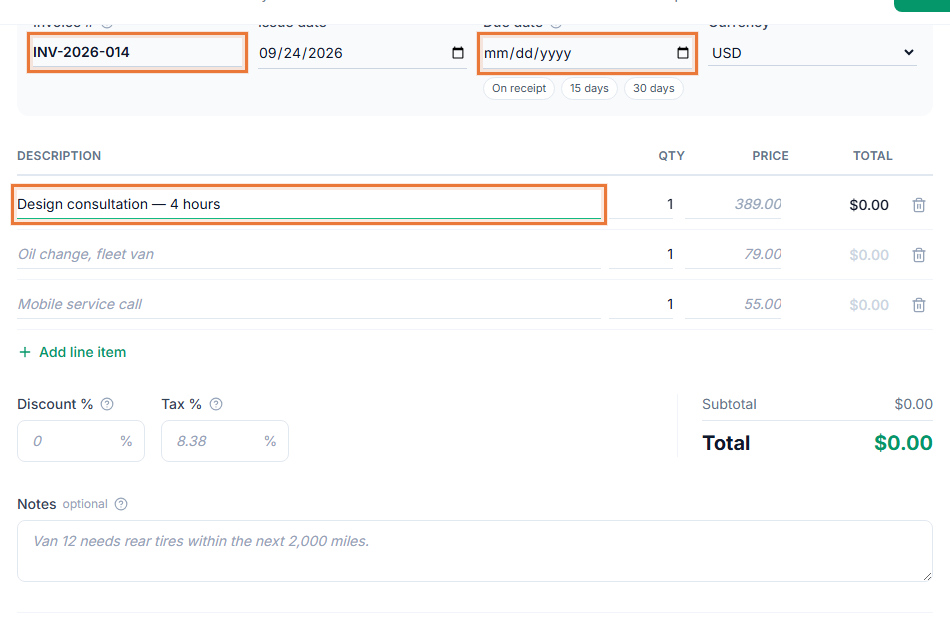
Most hourly workers lose billable time in the gap between doing the work and writing the invoice. Hours sit in a notebook, a spreadsheet or someone's memory, and some never get billed. The Invoice Generator keeps your time and your invoices in the same place, so every hour you log is ready to bill.
How it works
- Log your time. Add an entry with a short description, the date, the client and your hourly rate.
- Keep working. Entries stay marked as unbilled, so you can see at a glance what you have not invoiced yet.
- Bill in one step. Select the unbilled entries for a client and convert them to an invoice. The lines are filled in for you.
- Check and share. Edit anything you need, then share the invoice link with your client or download the PDF.
Why bill from tracked time
- No lost hours. Anything you logged and have not billed is easy to find.
- Clear invoices. Each line shows the work, the hours and the rate, which answers most client questions before they are asked. See how to invoice for hourly work.
- Less typing. You describe the work once, when you do it, instead of again at the end of the month.
- Better records. Each invoice shows the work behind it, and your reports show what you billed and what is still outstanding.
Who uses it
Time tracking suits anyone who bills by the hour: consultants, freelance writers and designers, developers, bookkeepers, tutors, and trades that charge labor by the hour. If you bill a fixed project fee instead, you can still log time to see how long projects really take.
Works with the rest of the Invoice Generator
Invoices made from your time include your logo and accent color. Share the invoice link and you can see when your client opens it. Add a Stripe payment link and the invoice shows a Pay now button, so your client can pay you straight from the invoice.