Hourly invoices tend to draw more questions from clients than a fixed project fee, and it is almost always because the hours were not broken down. A single line that reads "Consulting, 12 hours, $1,200" asks the client to trust a number with no way to check it. A few extra minutes spent breaking that down saves you a much longer email exchange later.
Showing your hours clearly
Give each task or work session its own line on the invoice, rather than one combined total for the billing period. A useful line includes:
- What the work was. "Homepage revisions" tells the client more than "development."
- When it happened, if that helps. A date or a short date range next to the description, useful if you bill weekly or monthly.
- The hours and the rate. Shown separately, so the amount on that line is clearly hours multiplied by rate.
Compare "Design work, 8 hours, $800" with two lines: "Logo concepts, 3 hours at $100" and "Revisions after client feedback, 5 hours at $100." The second version answers the client's question before they ask it.
Rounding your time consistently
Most hourly work does not land on a clean number of hours, so you need a rounding rule and you need to apply it the same way every time.
- Nearest 15 minutes. Common for consulting and professional services. A 22-minute task rounds to 15 or 30 minutes depending on your rule for the midpoint.
- Nearest 6 minutes (a tenth of an hour). Common in legal and other billable-hour professions, where time is tracked in tenths.
- No rounding, billed to the minute. The most precise option, and straightforward if you are tracking time digitally rather than by hand.
Whichever method you use, use decimal hours on the invoice itself, such as 1.5 hours rather than 1 hour 30 minutes, since that is the format that multiplies cleanly against your rate and is what most invoicing and accounting tools expect.
An hourly invoice example
| Description | Hours | Rate | Amount |
|---|---|---|---|
| Discovery call and project setup | 1.0 | $95.00 | $95.00 |
| Wireframes, homepage and product page | 3.5 | $95.00 | $332.50 |
| Revisions after client feedback | 2.0 | $95.00 | $190.00 |
Each line stands on its own, so a client reviewing the invoice can match it against what they remember asking for, without needing to call and ask what the total covers.
Turning tracked time into invoice lines
If you log your hours as you work rather than reconstructing them later, the Invoice Generator's time tracking keeps that unbilled time attached to the right client or project. When you are ready to bill, that tracked time converts into invoice lines automatically, with the description, hours and rate carried over, instead of you retyping each entry by hand onto a new invoice.
Creating an hourly invoice
 Inside Invoice Generator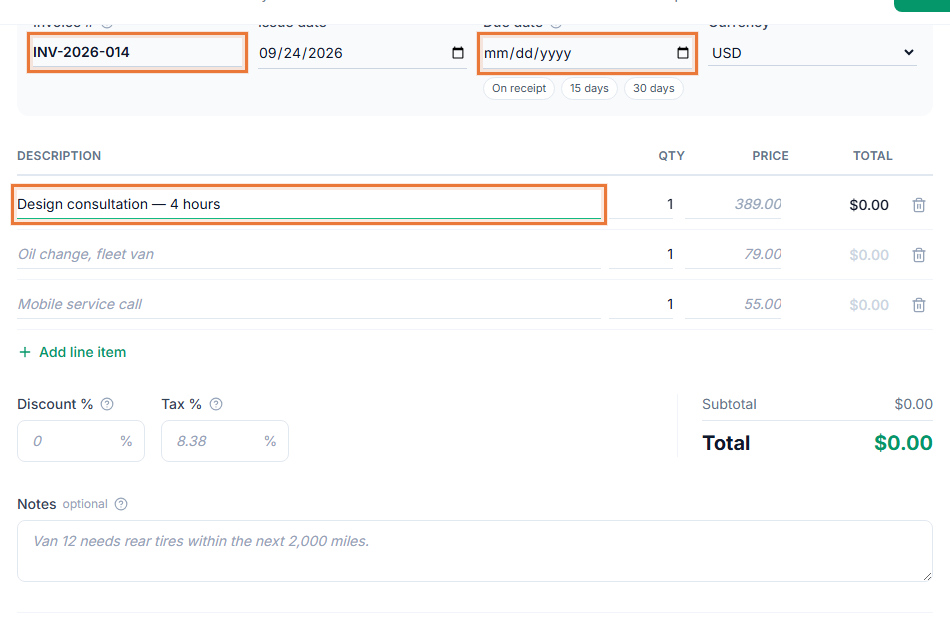
- Track your time as you go, or gather it at billing time. Note the task and duration for each work session.
- Open the Invoice Generator at toolstohelp.me/invoice/ and start a new invoice, or convert your unbilled tracked time into invoice lines.
- Check each line for hours, rate and description. Round consistently and use decimal hours.
- Set your payment terms and due date. See invoice payment terms explained for the common options.
- Save the invoice and share the link. Create a free account to save it and download the PDF, or send the link directly to your client.
If your rate changes mid-project
If your hourly rate changed partway through a project, either split the invoice into lines at the old and new rate with the date each applied, or note the change plainly in the invoice. Do not blend two rates into a single average line, since that hides the calculation the client would otherwise be able to check.
Minimum billing increments and short tasks
Some hourly work involves short tasks, such as a quick call or a small fix, that take only a few minutes but still require you to switch context. If you use a minimum billing increment, such as a quarter hour per task, say so in your agreement with the client before you start, and apply it consistently to every short task rather than only when it benefits you. Clients generally accept a stated minimum far more easily than one that appears without warning on an invoice.